For serious members
Create a complete profile, review compatible recommendations, compare important details and communicate with greater clarity.
Muklawa brings detailed marriage profiles, compatibility-led recommendations, private communication, profile comparison and professional marriage consultant support into one connected product for people worldwide.
Create a complete profile, review compatible recommendations, compare important details and communicate with greater clarity.
Structured information and privacy-aware communication support thoughtful involvement without turning the journey into public browsing.
Consultants receive client CRM, matching, comparison, bookings, recommendations, earnings and performance tools.

A simple sign-in experience gives members secure access to profiles, matching, chat, notifications and consultant support.

Clear login options guide users and consultants to the correct secure experience without unnecessary steps.

A focused profile home screen helps members review important details, save profiles and continue toward a meaningful introduction.

The complete phone mockup shows a Muslim woman profile, compatibility score, location, profession and respectful save, like, chat and AI actions.

Members can review profile completion, verification status and account information from one central profile screen.

Search tools help members narrow results by relevant preferences while maintaining privacy and a serious marriage focus.

Compatibility-based results organise potential marriage profiles around member preferences, location and relationship goals.

Muklawa uses profile preferences and compatibility signals to present relevant marriage recommendations in a clear, privacy-conscious list.

The AI insights screen explains compatibility indicators and profile strengths so members can review a potential match with more context.

Personal preferences are translated into practical recommendations while members keep control over who they view and contact.

Members can compare two profiles side by side to understand aligned values, expectations and practical compatibility.

Members can review profile interest in a private, organised view and decide whether to continue the connection.

The profile header presents identity, verification and activity signals while keeping the experience clean and respectful.

A complete profile overview combines trust indicators, key facts and structured detail areas in a professional layout.

The about section gives a concise introduction before members explore personal, family, education and expectation details.

Quick facts make important profile information easier to scan before opening the complete details.

Compatibility indicators summarise aligned preferences while encouraging members to review the complete profile.

The personal information section presents key background details in a structured, easy-to-review format.

Education, profession and career information help members understand daily life, goals and long-term compatibility.

Family background and relevant health information are organised carefully to support informed, serious discussions.

Clear partner expectations help reduce misunderstandings and keep conversations focused on genuine compatibility.

Clear actions let members save, compare or begin a respectful conversation from the profile detail journey.

Privacy controls help members manage profile visibility, protect personal information and decide how they appear to other users.

The chat inbox keeps active, requested and archived conversations organised while preserving a focused marriage-oriented experience.

Private conversations support respectful communication, message requests and a clear path from introduction to serious discussion.

Notifications keep members informed about profile activity, conversations, recommendations and important account updates.

The consultant network connects members with trusted professionals and keeps recommendation activity visible in one place.

Members can explore professional marriage consultants, compare expertise and choose guided support suited to their needs.

A detailed consultant profile presents experience, services, media and trust information before a member books support.

Marriage professionals can create a consultant account and begin the verification and profile setup process.

Consultants sign in to access client management, recommendations, bookings, messages and earnings tools.

The dashboard combines client totals, performance indicators, bookings, earnings and quick actions for daily consultant work.

Consultants can review clients, package status, progress and follow-up activity from one organised relationship-management workspace.

The consultant CRM tracks recommendations, statuses and next actions across the complete matchmaking journey.

Consultants can organise candidate recommendations, review status and move suitable profiles through a structured process.

The matching workspace supports shortlist review, profile recommendations and client-centred follow-up.

A structured summary helps consultants compare two client profiles before preparing a recommendation for families.

Detailed comparison fields bring personal, education, family and preference information together in one professional view.

Compatibility results highlight aligned areas and important differences so recommendations can be explained clearly.
Real Muklawa screens showing how marriage consultants can organise clients, recommendations, pipeline, communication, packages and analytics.
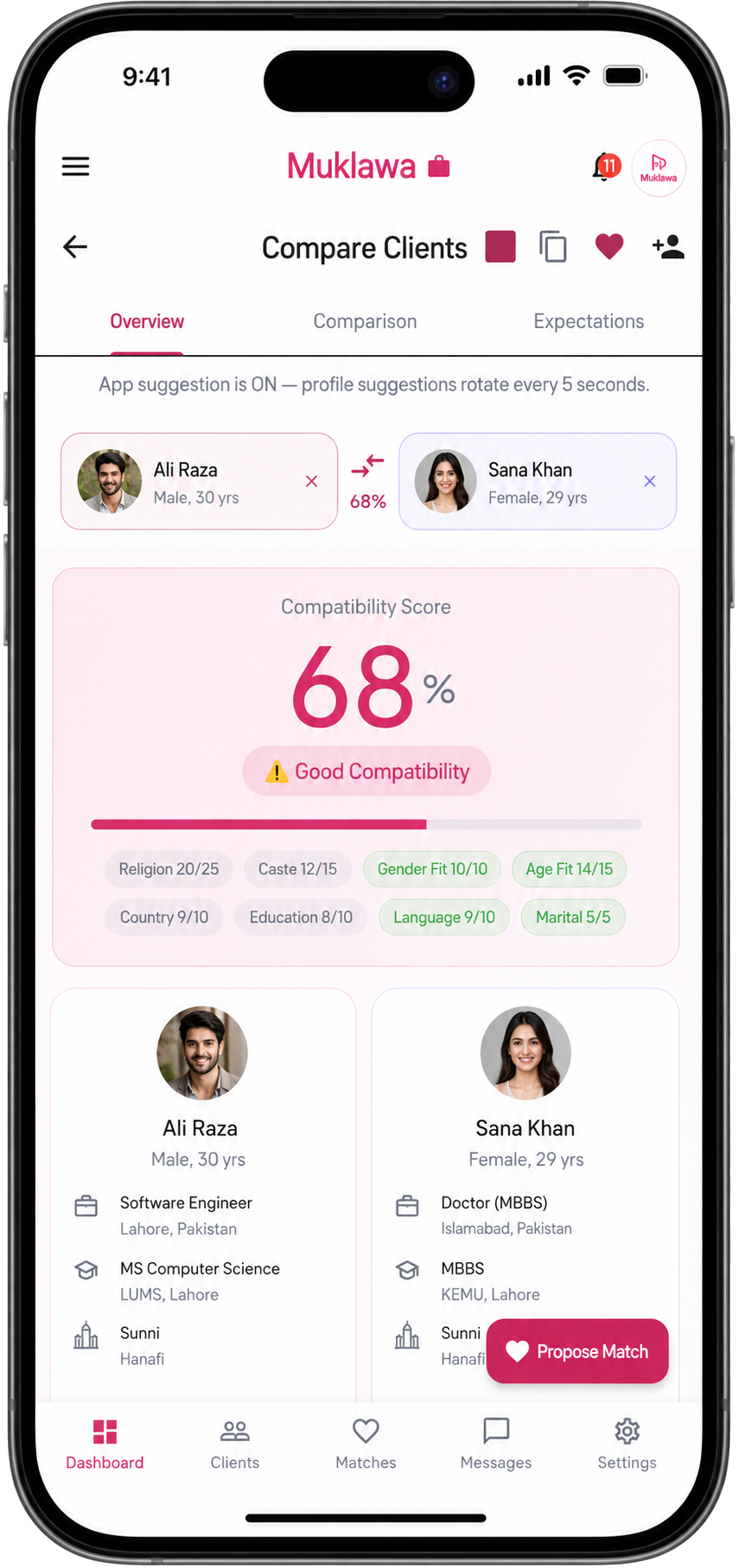
Detailed compatibility comparison with a percentage score, profile insights and structured criteria for consultant-led matchmaking.
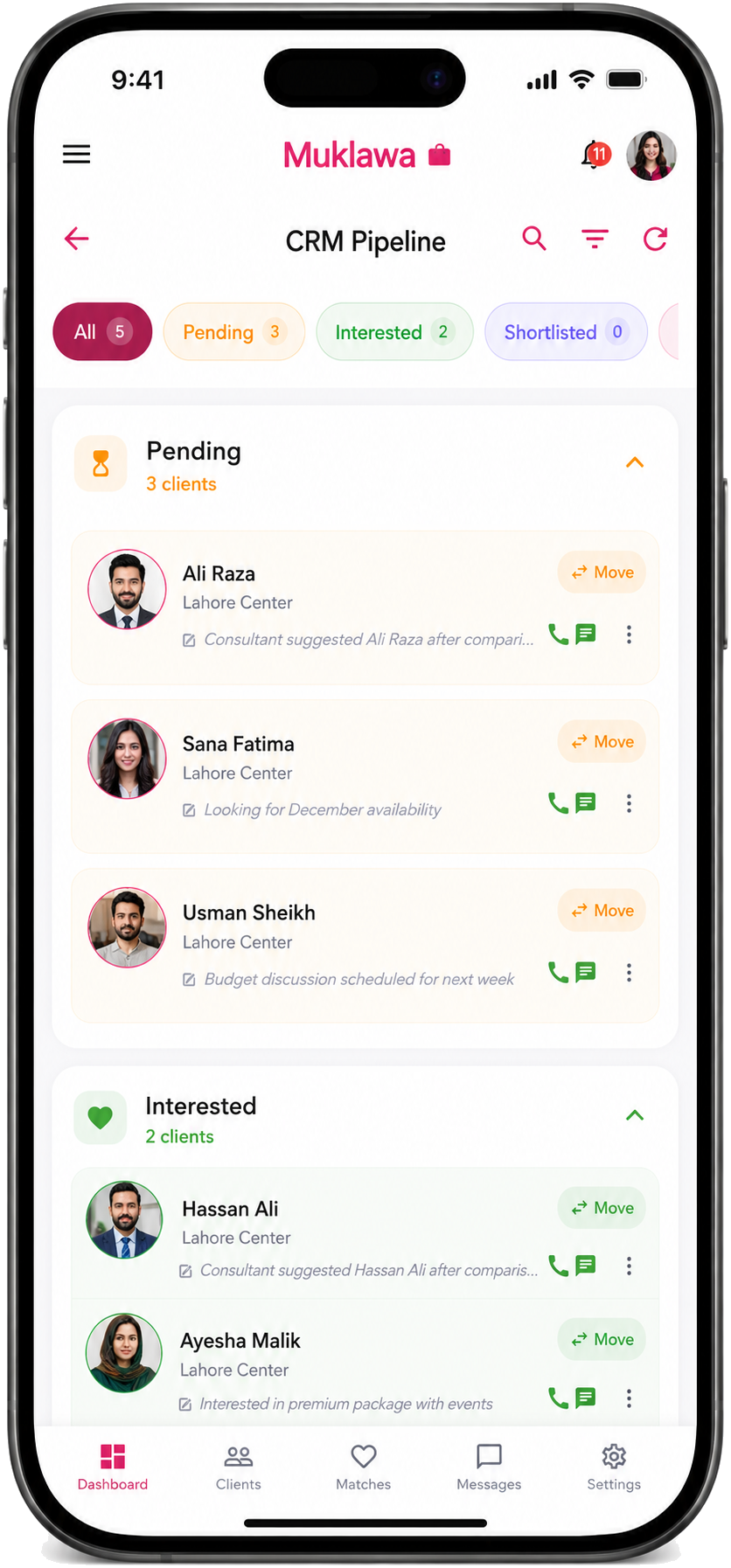
Visual CRM pipeline for tracking pending, active and completed matchmaking stages across consultant-managed clients.
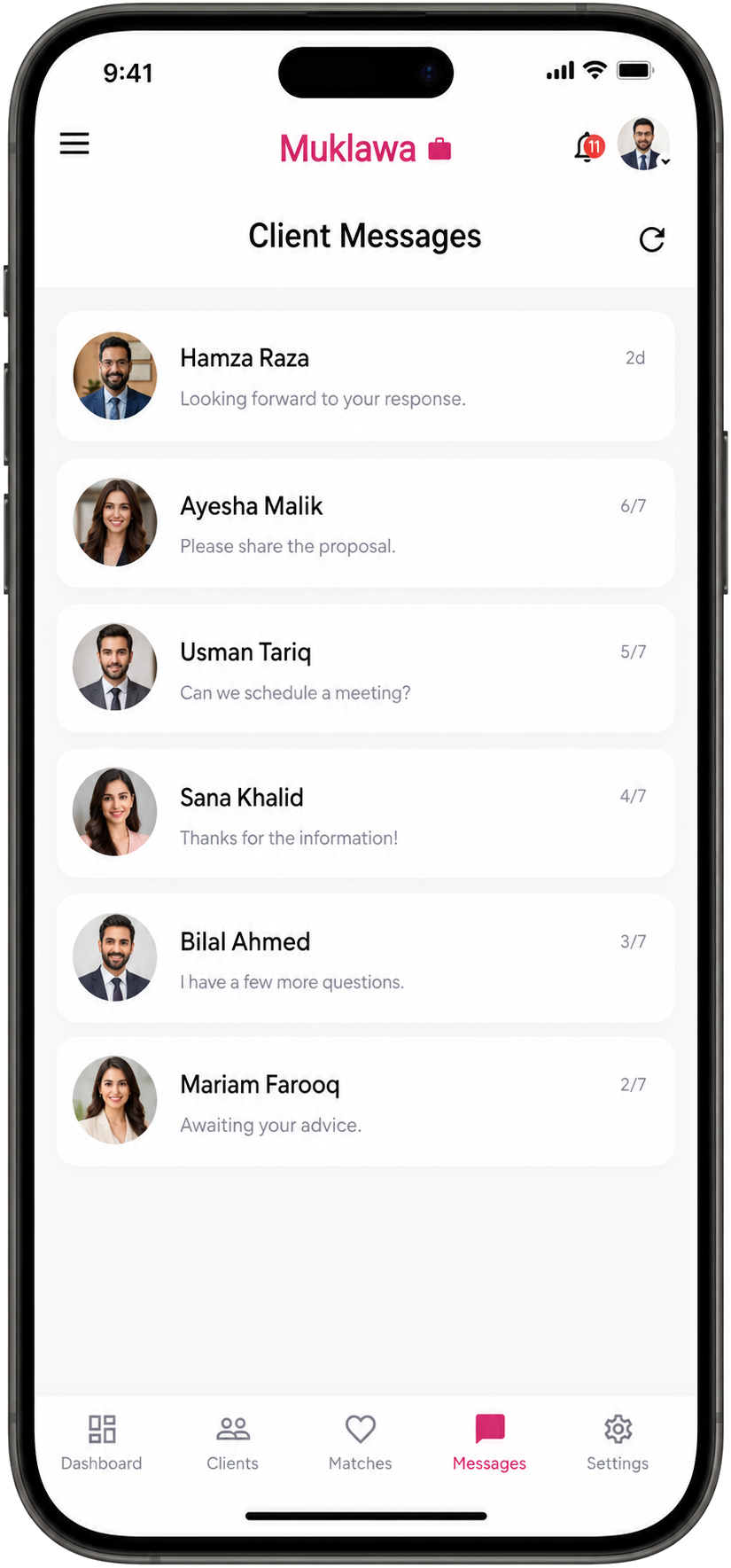
Secure client messaging list for organised consultant conversations, quick replies and communication management.
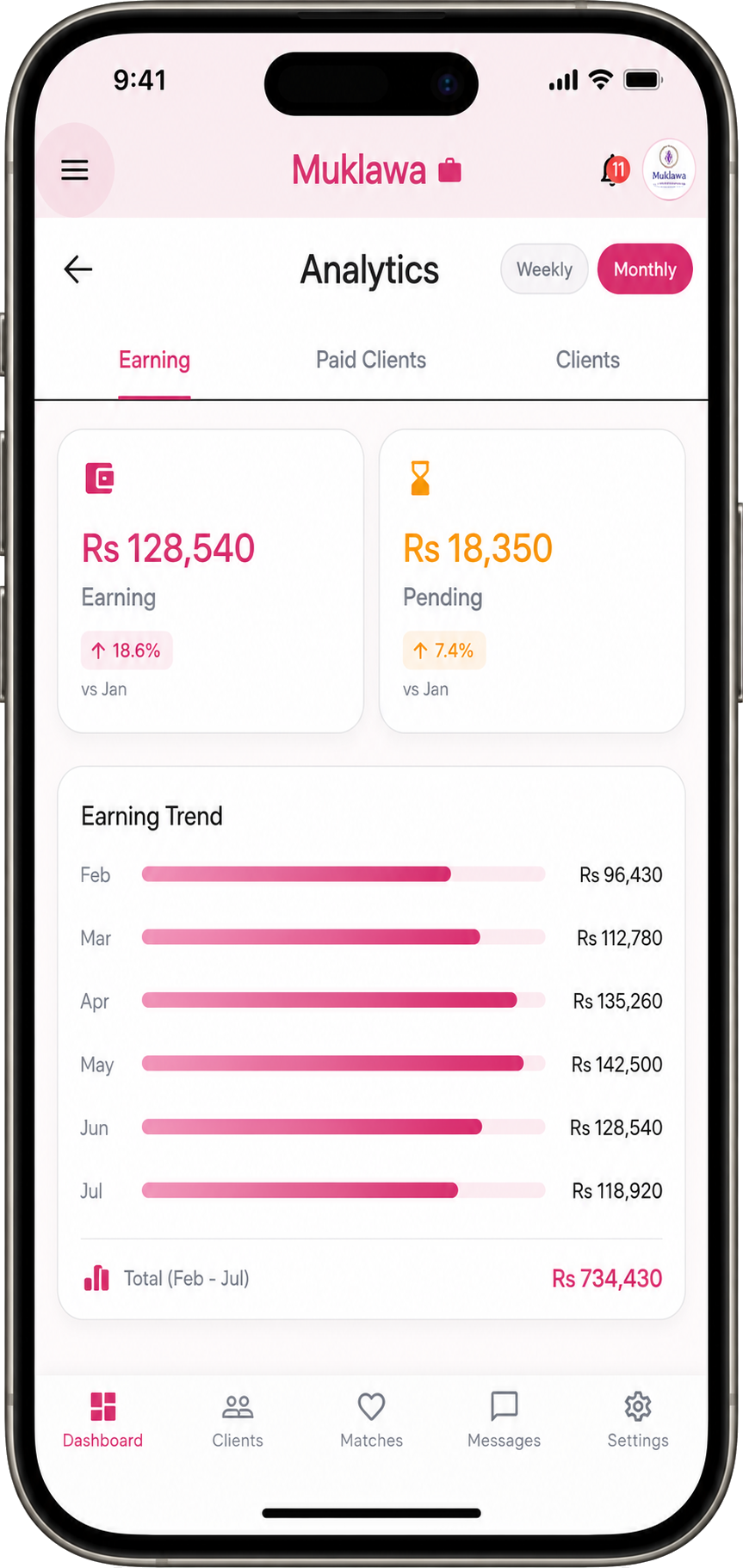
Analytics dashboard with sales trends, earnings charts, activity indicators and consultant performance metrics.
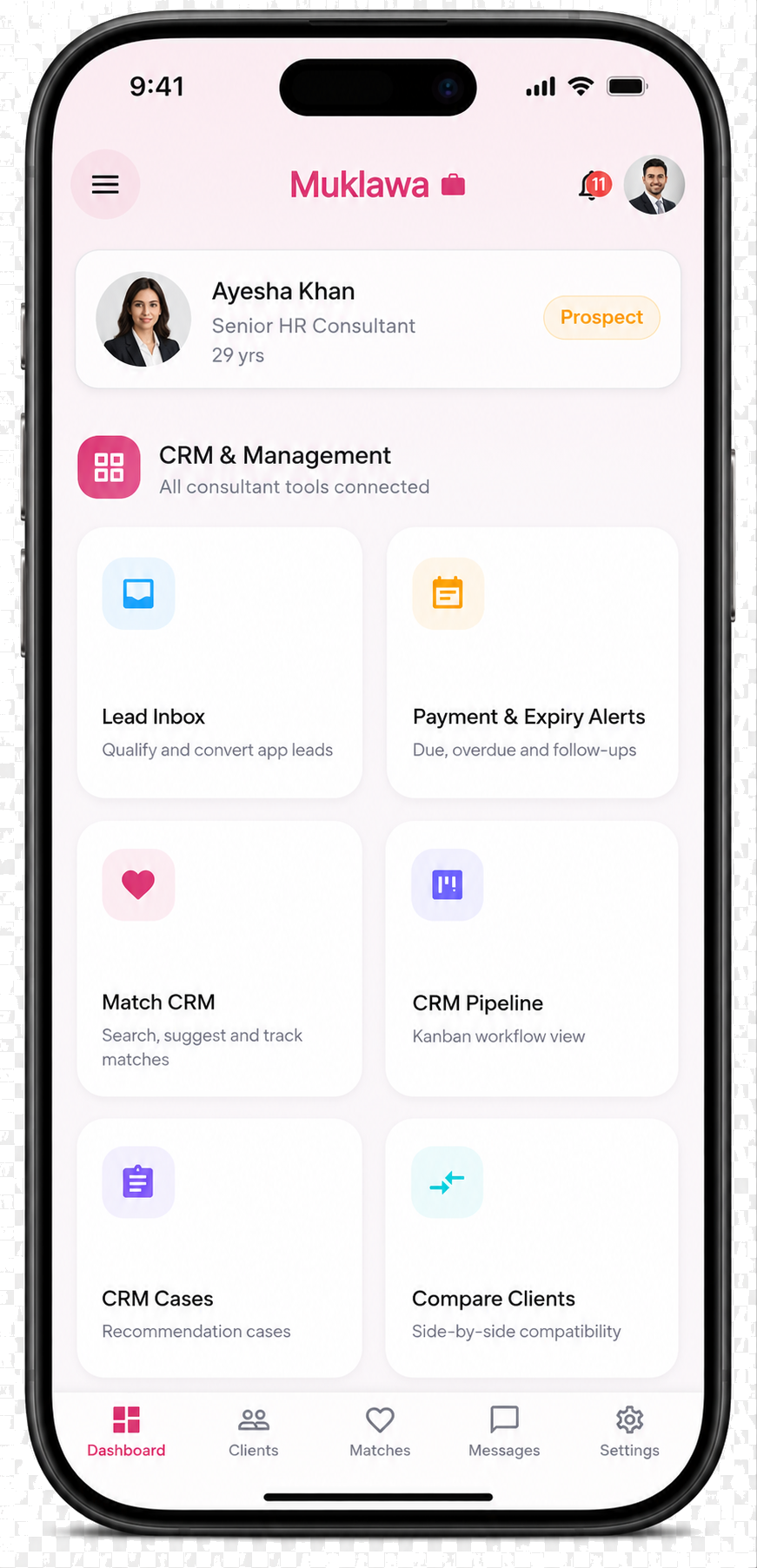
CRM management dashboard with client workflows, status summaries and daily consultant actions.
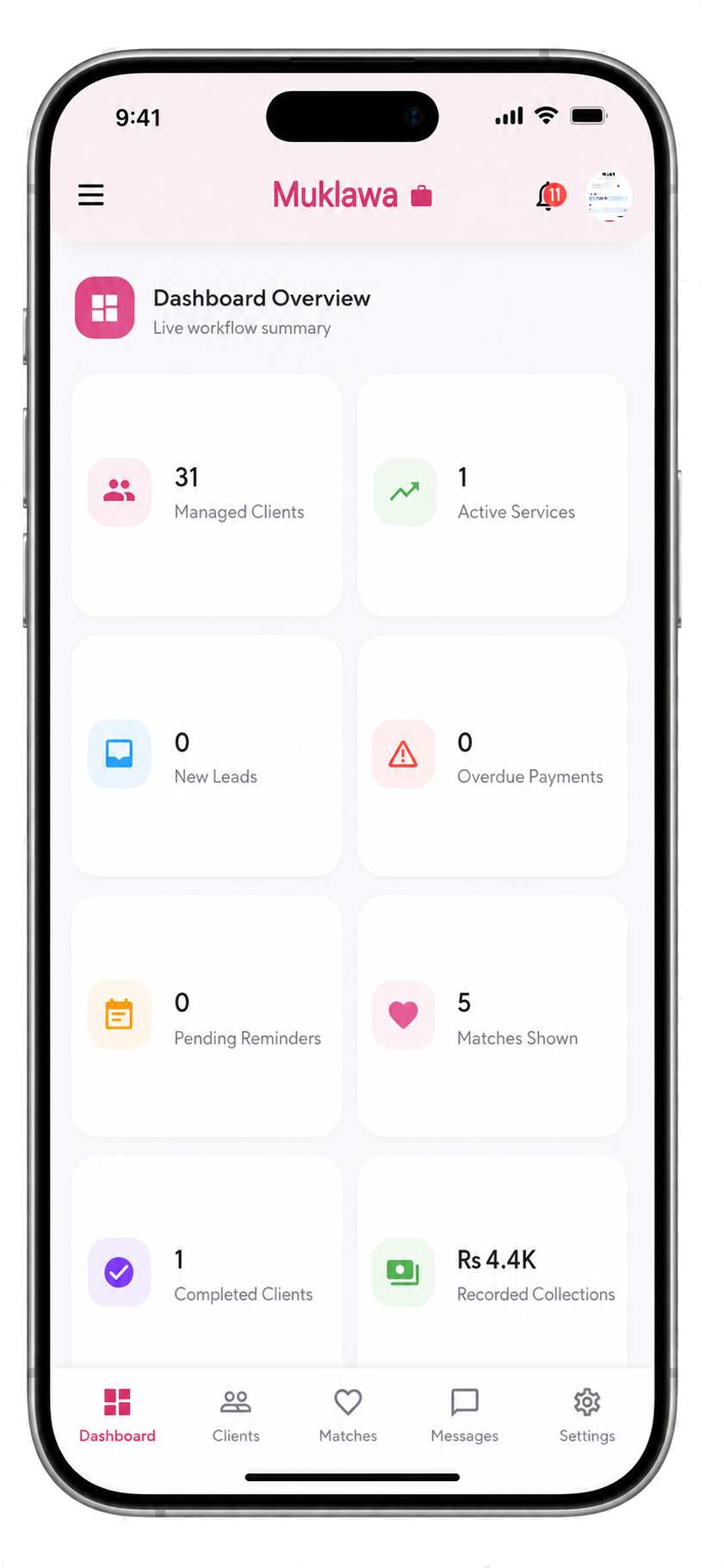
Main consultant dashboard summarising clients, activities, messages, CRM items and account performance.
Create your profile on the website and continue the complete private matching and communication experience in the Muklawa mobile app.
Create your Muklawa profile